Chapter 093 min5 screenshots
Get support
Something isn't working? Record it, export the log, and send both to us by email or on Discord.
For: Every MetaWrap user
Before you begin
- A problem you can show us
What you will complete
- A screenshot or short video of the problem
- The MetaWrap Support Report
- Everything sent to hello@metawrap.ai or to #support on Discord
01
Record the problem
A picture shows what words can't.
- 1.1Take a screenshot, or record a short video of what happens.
- 1.2Write down what you did, what you expected and what happened instead, with your Blender version.
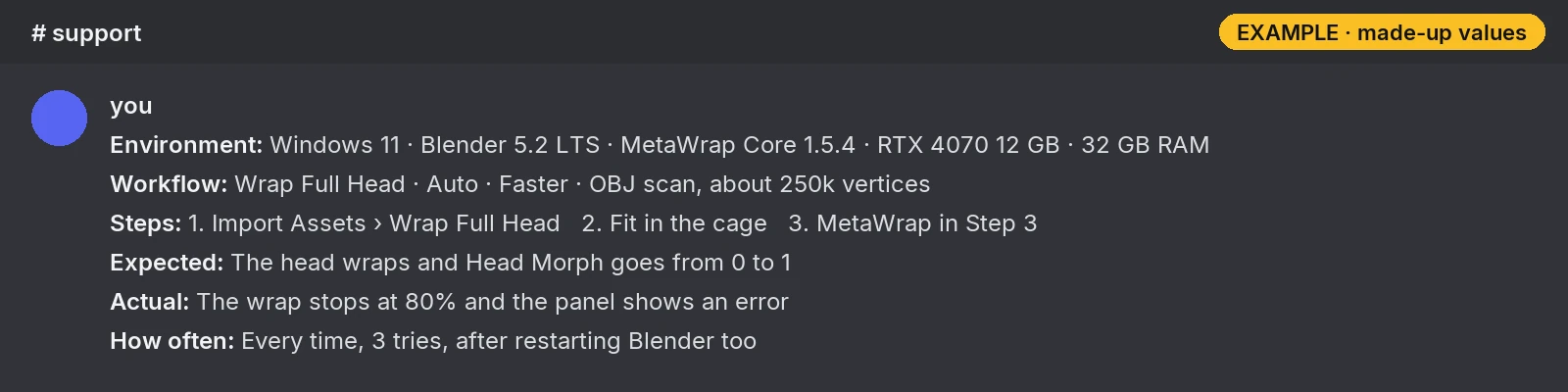
What to write
An example: environment, steps, what you expected and what happened. The values are made up.
02
Export the log
MetaWrap writes a log while you work. The Support Report packs it into one ZIP for us.
- 2.1In Blender, open Edit > Preferences > Add-ons > MetaWrap Founder Edition, expand Troubleshooting and click Export Support Report.
- 2.2MetaWrap creates the ZIP and opens its folder by itself: Documents > MetaWrap > Logs, or the Logs folder inside the projects folder you chose in Preferences.
- 2.3The report holds logs, versions and component hashes only: no models, textures, projects, email or license key.
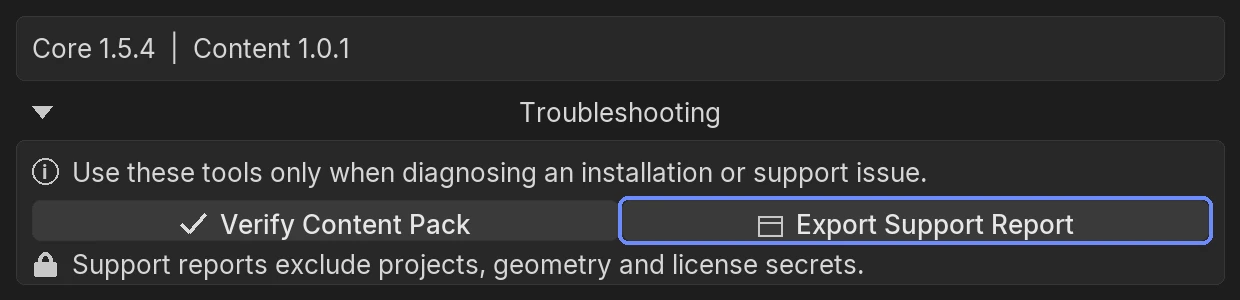
Export Support Report
Export Support Report
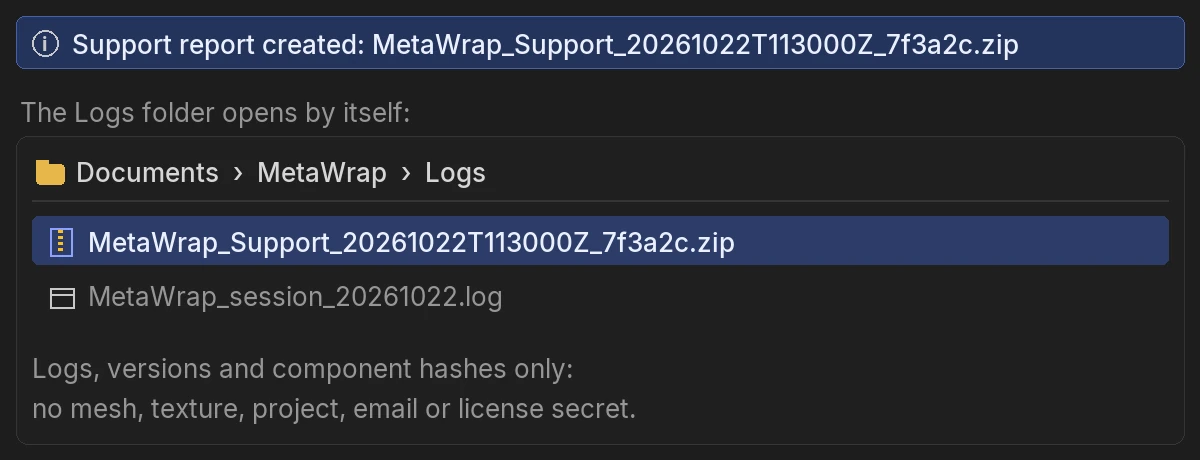
Where the log is
The report is created, and the Logs folder opens by itself.
03
Send it to us
By email or on Discord, whichever you prefer.
- 3.1Email hello@metawrap.ai, or post in #support on the MetaWrap Discord. You see #support once you have your Founder role from My MetaWrap.
- 3.2Attach the Support Report ZIP and your screenshot or video, with the few lines you wrote.
- 3.3Never send your License Key. Send a model only if we ask for it.
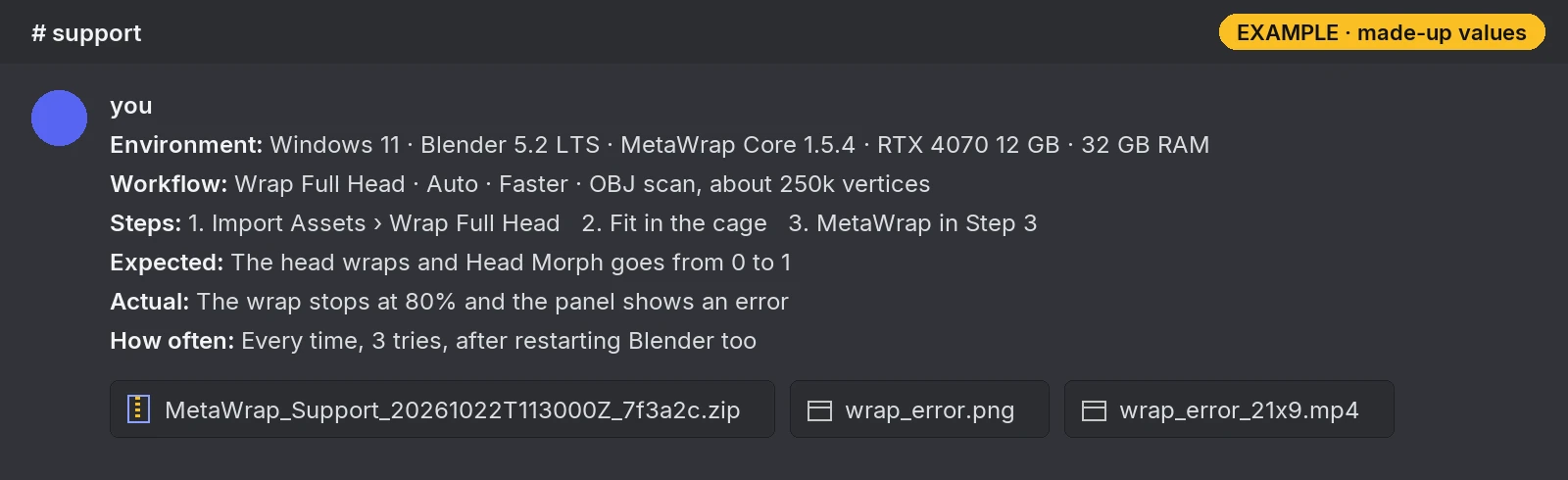
A complete support message
A complete message: a few lines, the Support Report ZIP and a screenshot or video. The values are made up.
04
Common messages
Five messages that have a quick fix.
- 4.1UE5 Not Connected: open your Unreal project with Python Remote Execution enabled, then push again. The local export was saved anyway.
- 4.2Content Pack required: install the Founder Content Pack in Add-on Preferences.
- 4.3"Last Core update failed": download the latest MetaWrap Core from My MetaWrap and install it with Edit > Preferences > Add-ons > Install from Disk, without unzipping it. Then click Save Preferences, close Blender, wait about 20 seconds, then open it again. Your projects are not touched.
- 4.4"MetaWrap could not activate": make sure Windows sets the date and time automatically: Settings > Time & language > Date & time, turn on Set time automatically and click Sync now. Then click Activate again. Still failing? Send us the support code shown at the end of the message.
- 4.5"Bake: GPU not available - using CPU.": Blender can't use your graphics card. Update the graphics driver and restart Blender; there is nothing to set by hand.
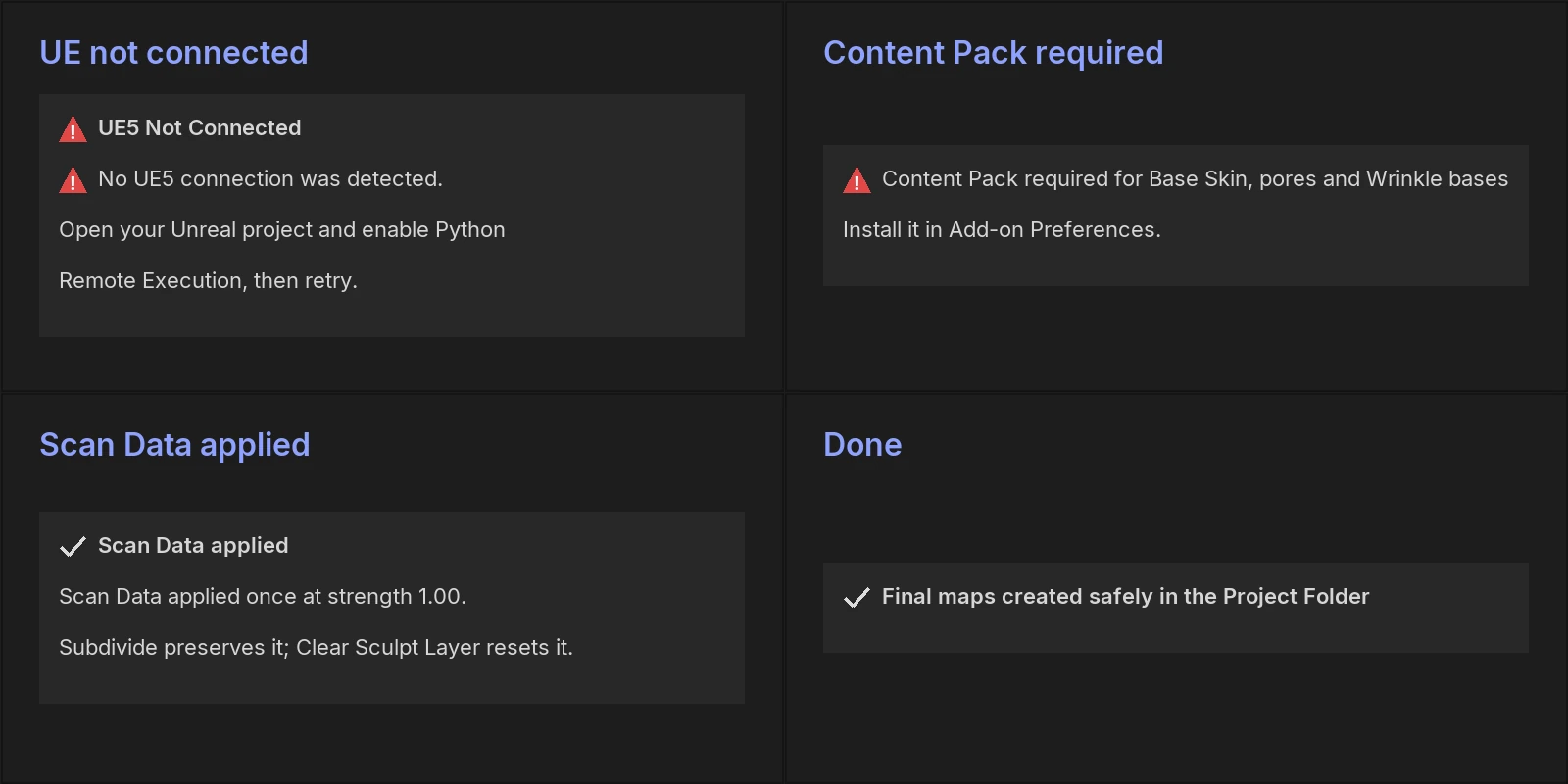
Common messages
Common messages