Activate MetaWrap and manage devices
Copy your License Key from My MetaWrap, paste it into the add-on and click Activate. Nothing else to sign in to inside Blender.
For: Every MetaWrap user
Before you begin
- Installed MetaWrap Core
- MetaWrap.ai account used at checkout
What you will complete
- Licensed status in Blender
- One active device
- Understanding of the two-device limit
Copy your License Key
Your key is in My MetaWrap, on the account you used at checkout.
- 1.1Sign in at metawrap.ai with the account you used at checkout.
- 1.2Open My MetaWrap and copy your License Key (MW-XXXX-XXXX-XXXX-XXXX).
- 1.3Keep the key private: it activates your devices.
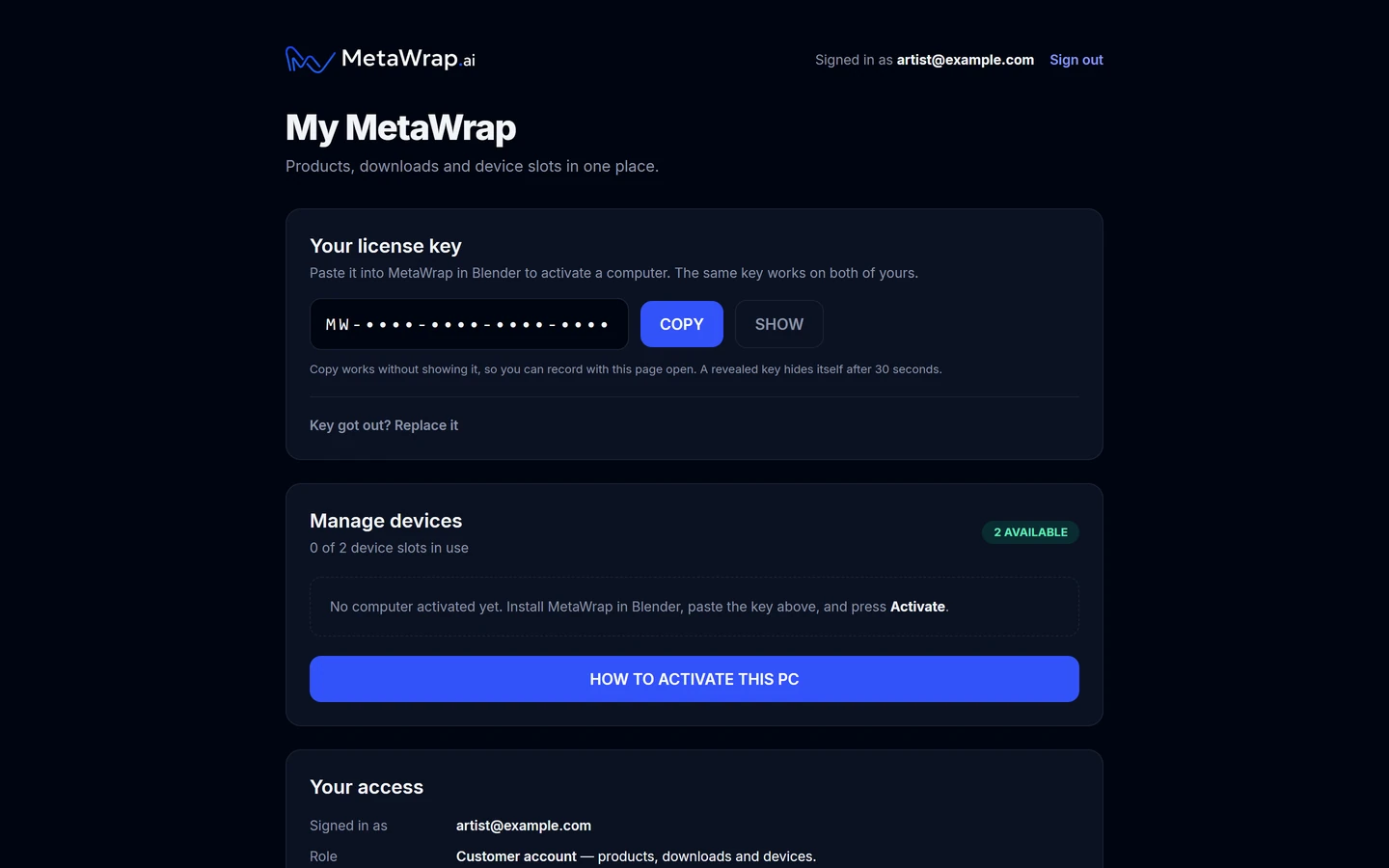
Copy the License Key from My MetaWrap
Copy the License Key from My MetaWrap
Paste the key in Blender and activate
The License section of the add-on preferences takes the key in one step.
- 2.1In Blender open Edit > Preferences > Add-ons > MetaWrap Founder Edition.
- 2.2In License, find "Activate this PC with the key from My MetaWrap".
- 2.3Paste the key into License Key and click Activate. On a second computer, use the same key.
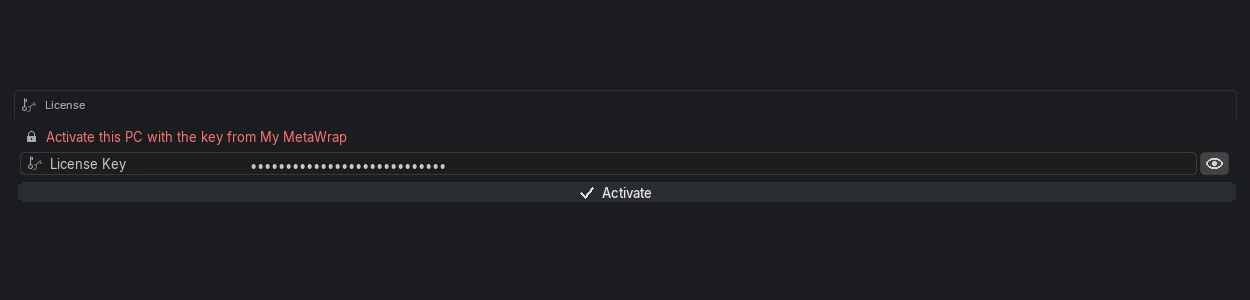
Paste the License Key in Blender
Paste the License Key in Blender
Verify Blender and manage devices
The local signed lease unlocks the suite; the website remains the device authority.
- 3.1Confirm the License section reads "Founder Edition is active on this PC".
- 3.2Save Preferences. Blender keeps the add-ons, your License Key and the projects folder only once its preferences are saved. With Auto-Save Preferences on (Blender's default) this happens by itself; if it's off, open the menu at the lower left of Preferences and click Save Preferences, or Blender forgets them when you reopen it.
- 3.3Use Manage Devices, or My MetaWrap, to see or deactivate a device.
- 3.4A MetaWrap account supports up to two active devices.

MetaWrap active in Blender
Once the key is accepted, the License section reads "Founder Edition is active on this PC".
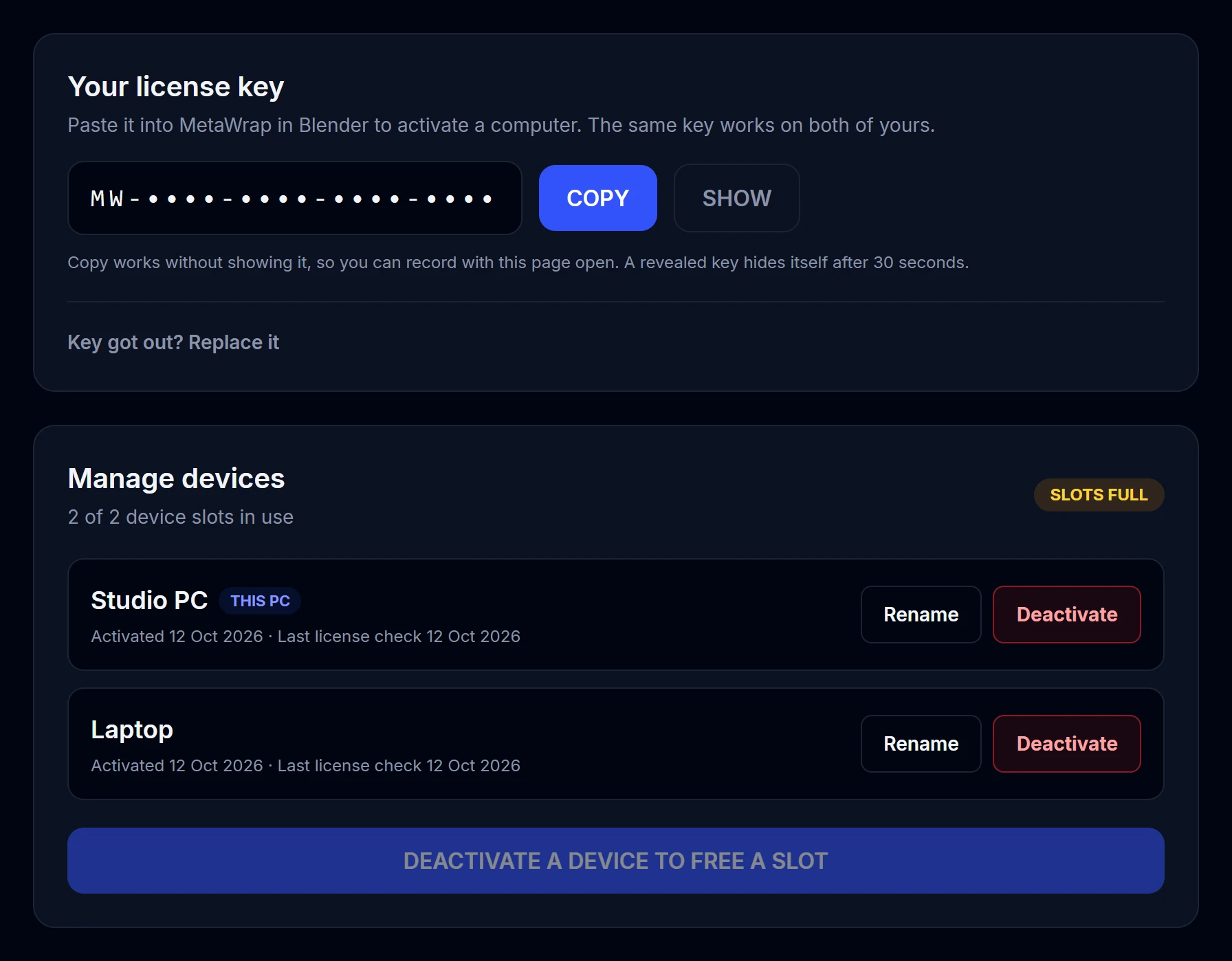
One key, two PCs
The same key activates your two computers. Both appear in My MetaWrap with their activation date; Deactivate frees a slot for another PC.