Chapter 4.28 min2 screenshots
Transfer and clean the texture
Project the Source colour onto the MetaHuman UVs, then rebuild damaged areas with Smart Paint.
For: Imported scans and AI-generated models
Before you begin
- A completed wrap
- A Source with an albedo texture
What you will complete
- Albedo on the MetaHuman UVs
- A clean base albedo ready for MetaSculpt and Unreal
01
Transfer the texture
Texture Transfer projects the Source albedo onto the MetaHuman UVs.
- 1.1MetaWrap starts in Solid view (F6). F5 shows the wireframe and F7 the material, with your textures. Switch views only with these keys, not from Blender's menus.
- 1.2Your model came without an albedo? Load it in Step 1 with Replace Albedo Map.
- 1.3Stay close to the wrap result: small fixes are fine, but don't change the pose or sculpt heavily before the transfer, or the two models won't match. Do major sculpting afterwards, in MetaSculpt.
- 1.4Open Step 4: Bake and Paint, choose the resolution and click Texture Transfer. 2K is enough for AI-generated models; 4K is the maximum for the albedo, and our suggestion for good textures.
- 1.5Dark areas are where the Source had no colour information, such as behind the ears: Smart Paint fixes them next.
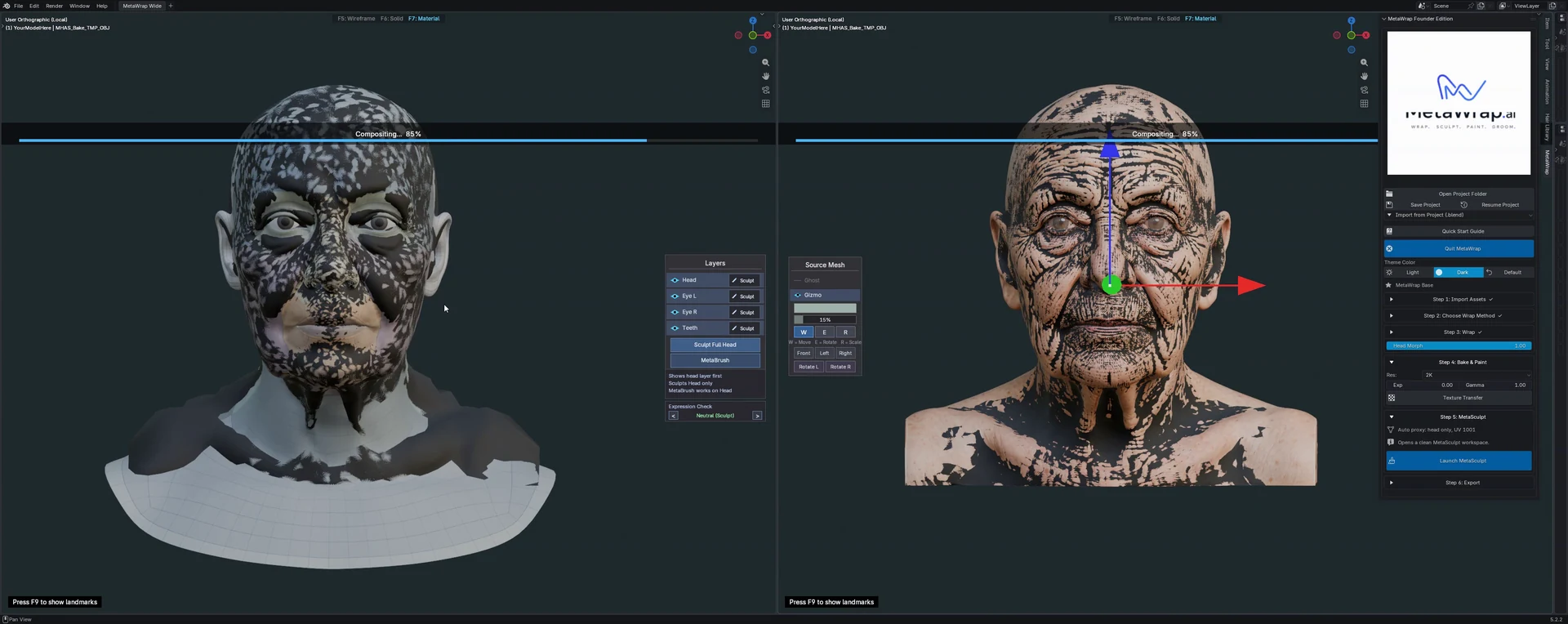
Texture Transfer result
Texture Transfer result
02
Clean the albedo with Smart Paint
AI-generated albedos are often inconsistent: Smart Paint rebuilds wrong or damaged areas from a clean base map.
- 2.1Open Smart Paint and paint over the areas to rebuild, such as nostrils, eye corners, eyebrows and the gaps the transfer left.
- 2.2Under your strokes there is a high-quality 4K base map: Smart Paint blends from it, a bit like content-aware fill. Colour correction is on the left, and you can repeat as many times as you like.
- 2.3While you paint, the rest of the panel is locked. Click Apply Paint to finish and generate the final albedo, or press Esc to cancel.
- 2.4Preview in Eevee for a realistic check before you apply.
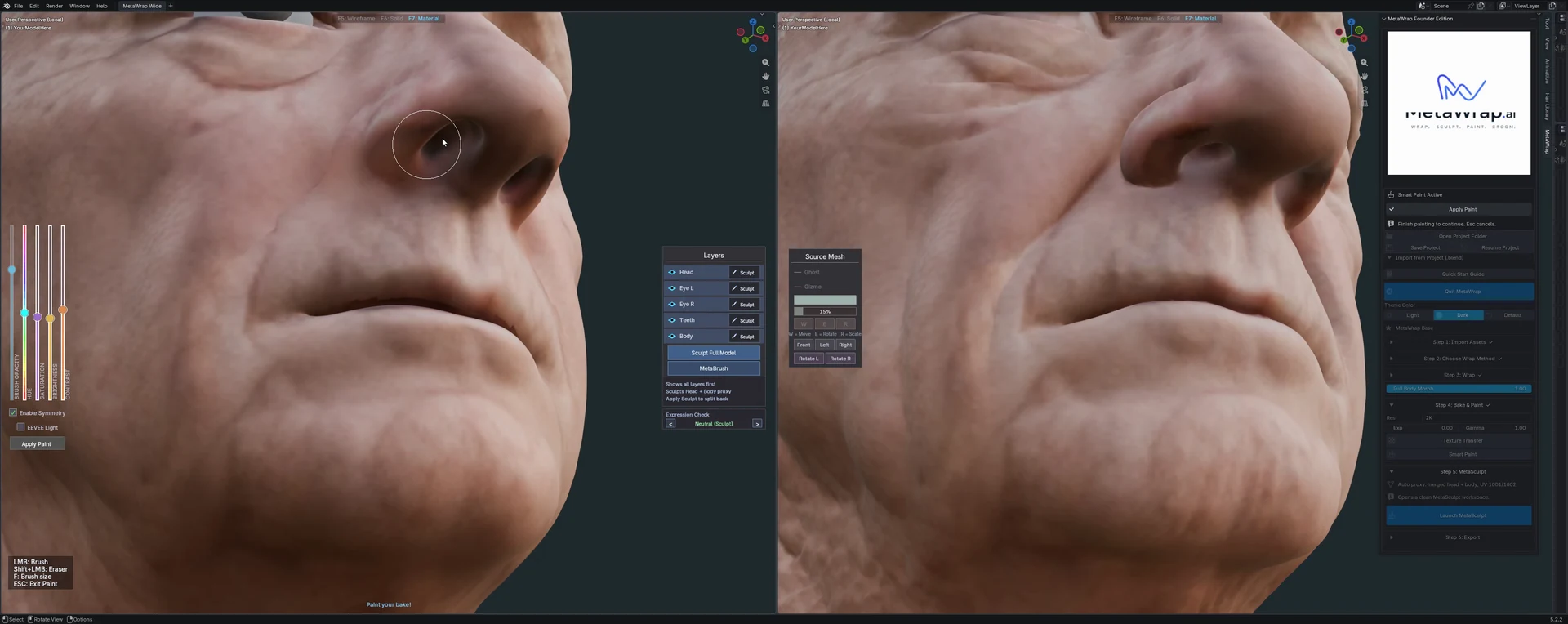
Clean the albedo with Smart Paint
Clean the albedo with Smart Paint