Wrap a Full Body scan or model
Head and body are wrapped together in one pass. Auto Full Body places the points by itself; Manual gives you full control. Force A pose can straighten the arms and legs afterwards.
For: Full Body users
Before you begin
- Head and body as one single mesh, preferably OBJ (or GLB, or FBX)
- Facing the front, with arms and legs clearly recognisable
What you will complete
- Head and body wrapped together, topology and UVs preserved
- Landmarks you can correct and run again
- Optional A-pose for arms, wrists, legs and feet
Import the body
One single mesh, facing the front. The body is already there, so there is no Load Body in this workflow.
- 1.1Click Import Assets and choose Wrap Full Body. Your model must be one single mesh, head and body together; OBJ is the best format, then GLB, then FBX.
- 1.2Check that the model faces the front and that arms and legs are clearly separated from the body.
- 1.3On import, MetaWrap brings your model to the MetaHuman reference height: proportions and UVs stay the same. A MetaHuman it recognises is left as it is.
- 1.4Decimate Mesh (Optional) is not required: a dense model can be wrapped as it is. Very dense models still make Blender slower.
- 1.5Sculpt Source (optional, before the wrap) opens the arms or fixes the pose by hand with the Pose Brush: Apply keeps it, Cancel restores the original.
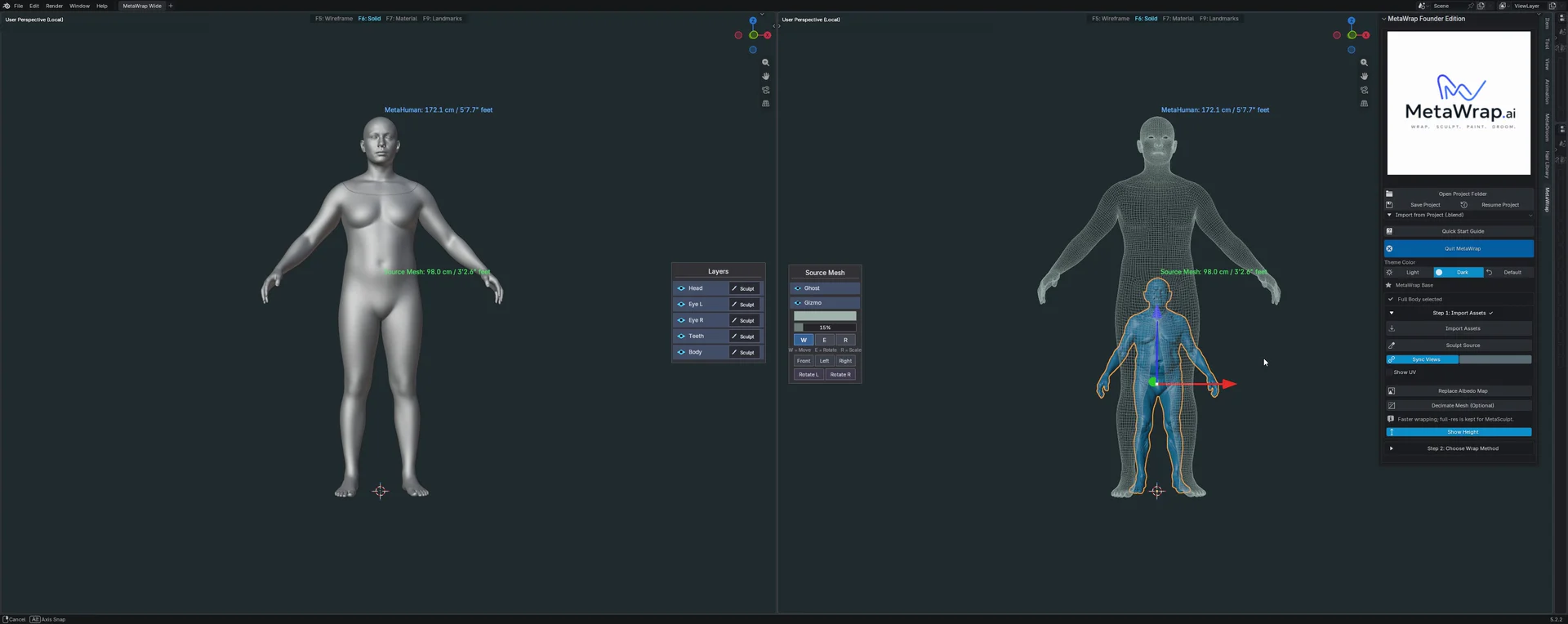
The imported body
Your body on the right, the MetaHuman on the left. Show Height, in Step 1, compares the two heights.
Choose Auto or Manual
Step 2: Choose Wrap Method has the same two choices as the heads. Auto Full Body is the quick start; Manual gives the best quality.
- 2.1Open Step 2: Choose Wrap Method and pick Auto or Manual.
- 2.2Keep Faster: it is the default, and the one you will use most of the time. Accurate is there when a model needs the slower, previous method.
- 2.3Both wrap head and body together as one connected surface, then give the result back to the separate head and body, with topology and UVs preserved.
Auto Full Body
Experimental- Choose Auto, then click MetaWrap in Step 3: Wrap. MetaWrap finds the body points from the front view, and the face points with the same face detector used for heads, then runs the wrap.
- Works best when the body is in an A-pose and the hands and fingers are not too far from the MetaHuman's.
- Auto places seven points by itself: nose, chin, pelvis, wrists and ankles. It adds no points on the fingers.
- It is experimental: it may not recognise a figure that isn't fully human, or one in an unusual pose. If it can't find the body, the panel says so: just switch to Manual.
- Everything runs on your computer, with nothing else to install.
Manual
Best quality- Click Landmarks and place pairs anywhere on head and body: a point on your model, then the matching point on the MetaHuman.
- Manual doesn't need many points: in some cases very few give a great result, and seven were enough for a whole body in our tutorial. Experiment, but don't overdo it: too many landmarks can be counterproductive.
- For complex hands, add landmarks on the fingers.
- Right-drag any point to move it where it belongs. At least 3 pairs, spread out and not in a line.
- When the pairs are in place, click MetaWrap in Step 3: Wrap.
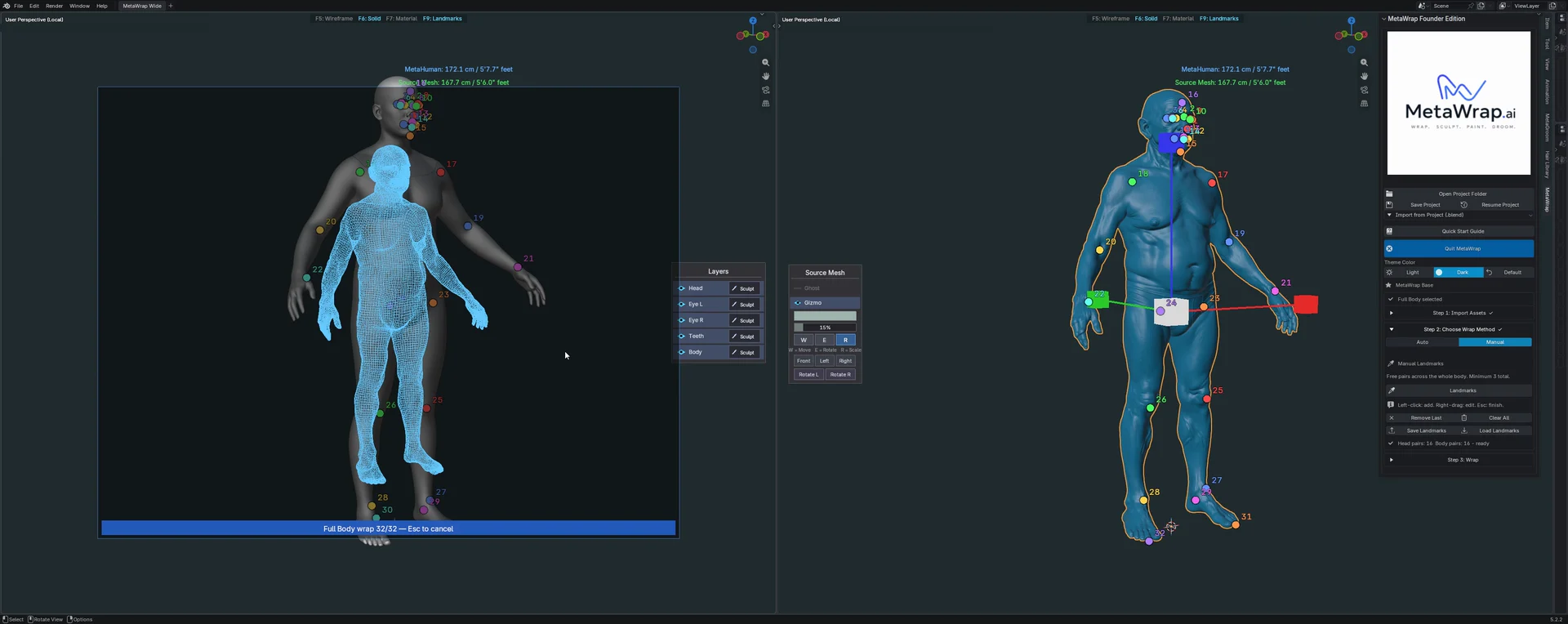
Auto Full Body
Auto Full Body places the points on the body and on the face by itself, then wraps head and body together. Sped up.
Run the wrap and check it
Head and body are solved together. How long it takes depends on the model and on your computer.
- 3.1Click MetaWrap in Step 3: Wrap: it is the same button for Auto and Manual.
- 3.2After the wrap the landmarks are hidden, not deleted.
- 3.3Full Body Morph goes from 0 (the MetaHuman you started from) to 1 (your model), for head and body together.
- 3.4Touch up small spots with MetaBrush, such as the face, the legs and the feet: it restores each point to a clean shape.
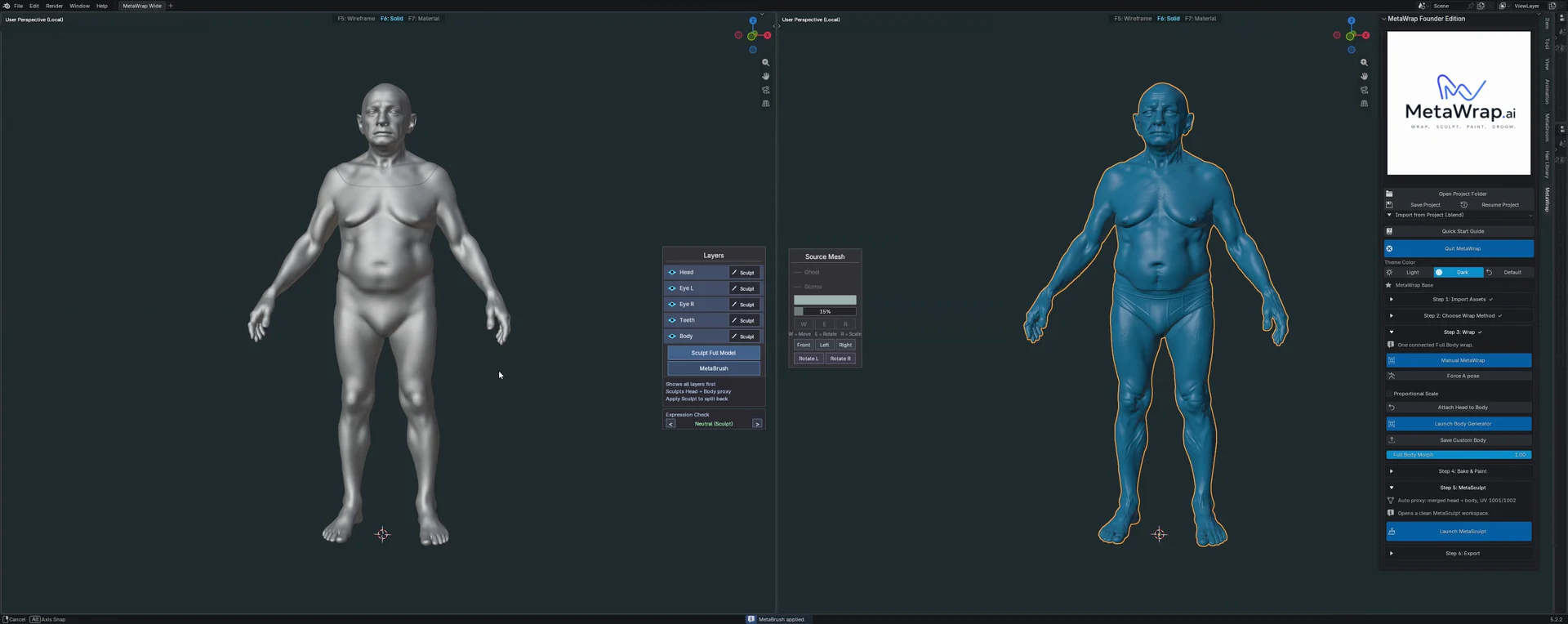
Full Body result
The result on the left, with the MetaHuman topology; your model on the right.
Straighten arms and legs with Force A pose (optional)
After the wrap, Force A pose lines up arms, wrists, legs and feet with the MetaHuman reference pose, keeping their length.
- 4.1Click Force A pose, right under MetaWrap in Step 3. It never runs by itself.
- 4.2Arms, wrists, legs and feet move, and keep their length. The face stays as it is.
- 4.3A progress bar shows the work. Ctrl+Z undoes it, and you can press Force A pose again to recalculate.
- 4.4Refine any spot locally with MetaBrush: it keeps the original reference.
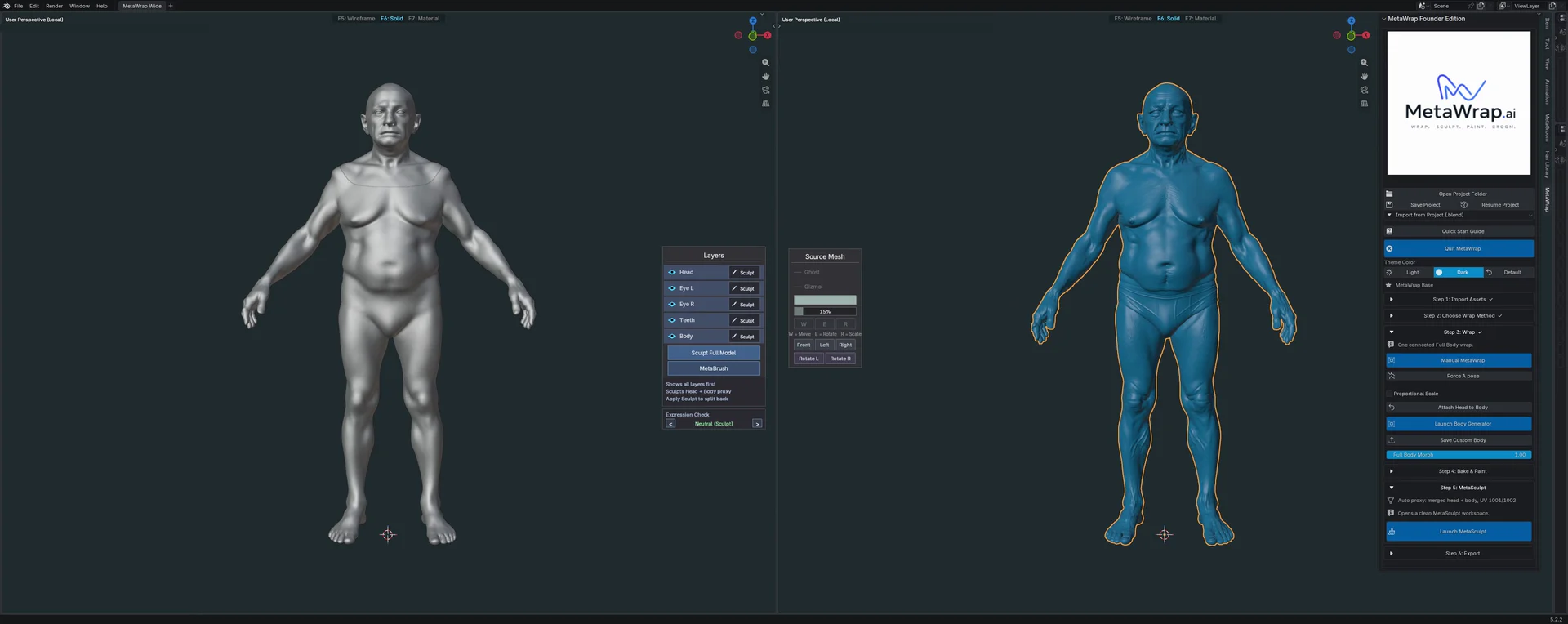
Force A pose
Force A pose moves only arms, wrists and hands into the MetaHuman A-pose.
Already a MetaHuman? Bring it back without a wrap
A MetaHuman exported from Unreal already has the MetaHuman topology: MetaWrap recognises it and conforms it directly, with no landmarks to place.
- 5.1From MetaHuman Creator: right-click the full-body mesh it assembles (…_FullBody) › Asset Actions › Export.
- 5.2Or from your scene: the MetaHuman must stand at location 0, 0, 0, with no clothes and no accessories (grooms are fine). Select it › File › Export Selected.
- 5.3In both cases export as FBX and uncheck every option in the FBX Export Options.
- 5.4In MetaWrap: Import Assets › Wrap Full Body. Step 2 reads "MetaHuman recognised - no landmarks needed." Click MetaWrap in Step 3: Wrap: the body is conformed directly.
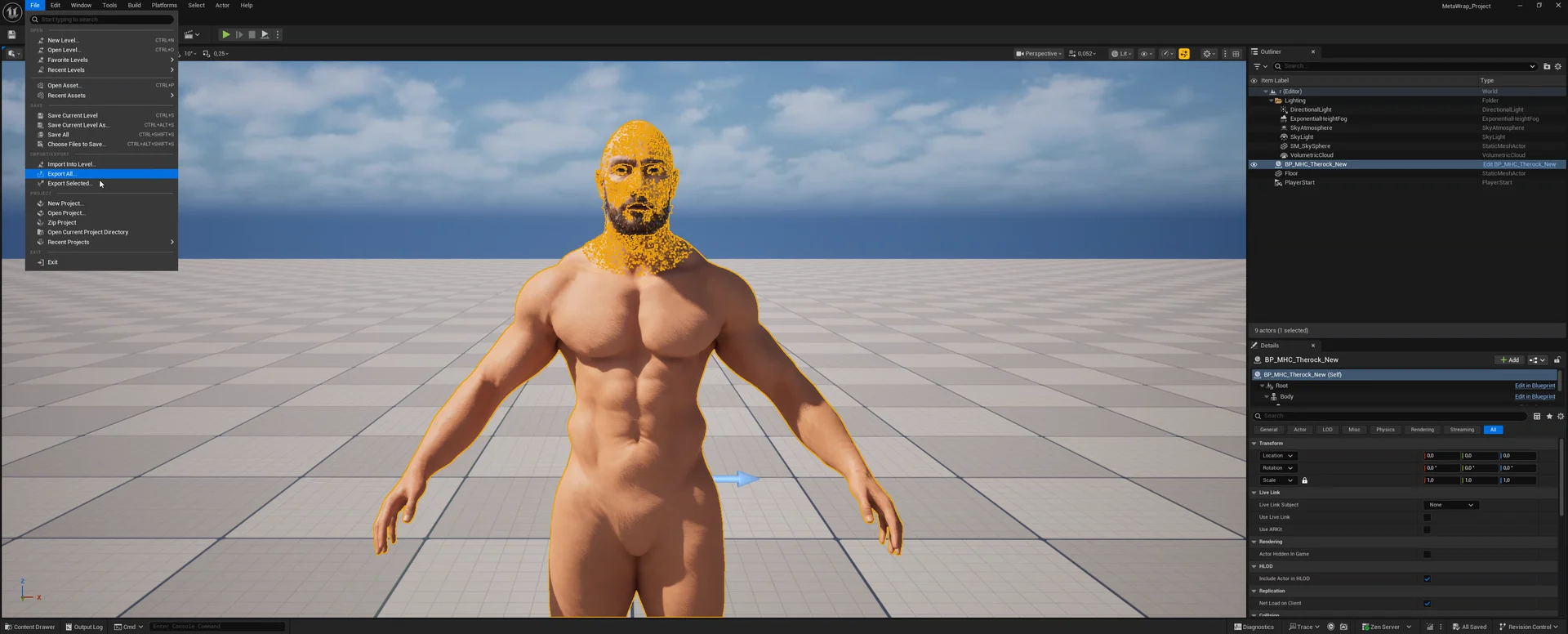
Export from Unreal
From your scene: select the MetaHuman, then File › Export Selected.
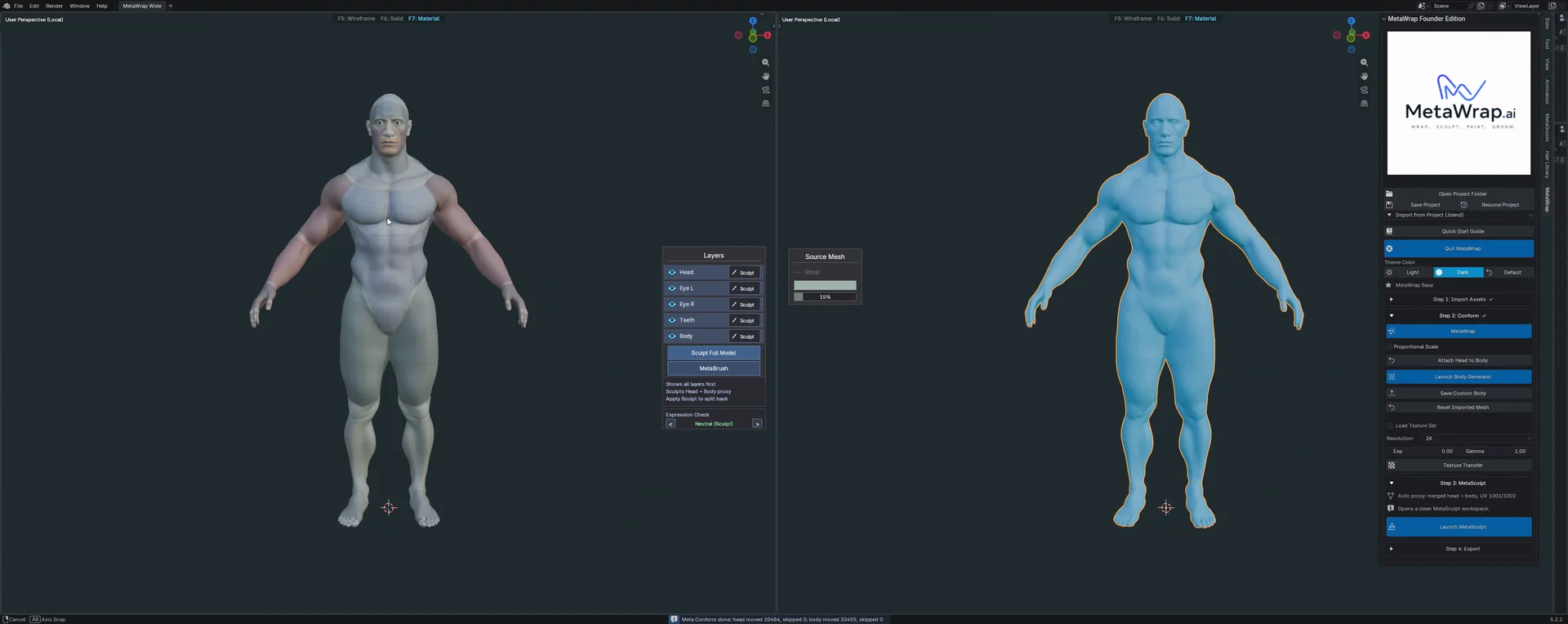
MetaHuman recognised
MetaWrap recognises the MetaHuman and conforms it directly: no landmarks to place.
Shape it with the Body Generator (optional)
The Procedural Body Generator works on top of any full body: one you wrapped, or a MetaHuman you brought back.
- 6.1Click Launch Body Generator.
- 6.2Shape the body with the sliders: Main, Upper, Arms, Lower, Hands & Feet and Details.
- 6.3Apply, or Cancel to go back.
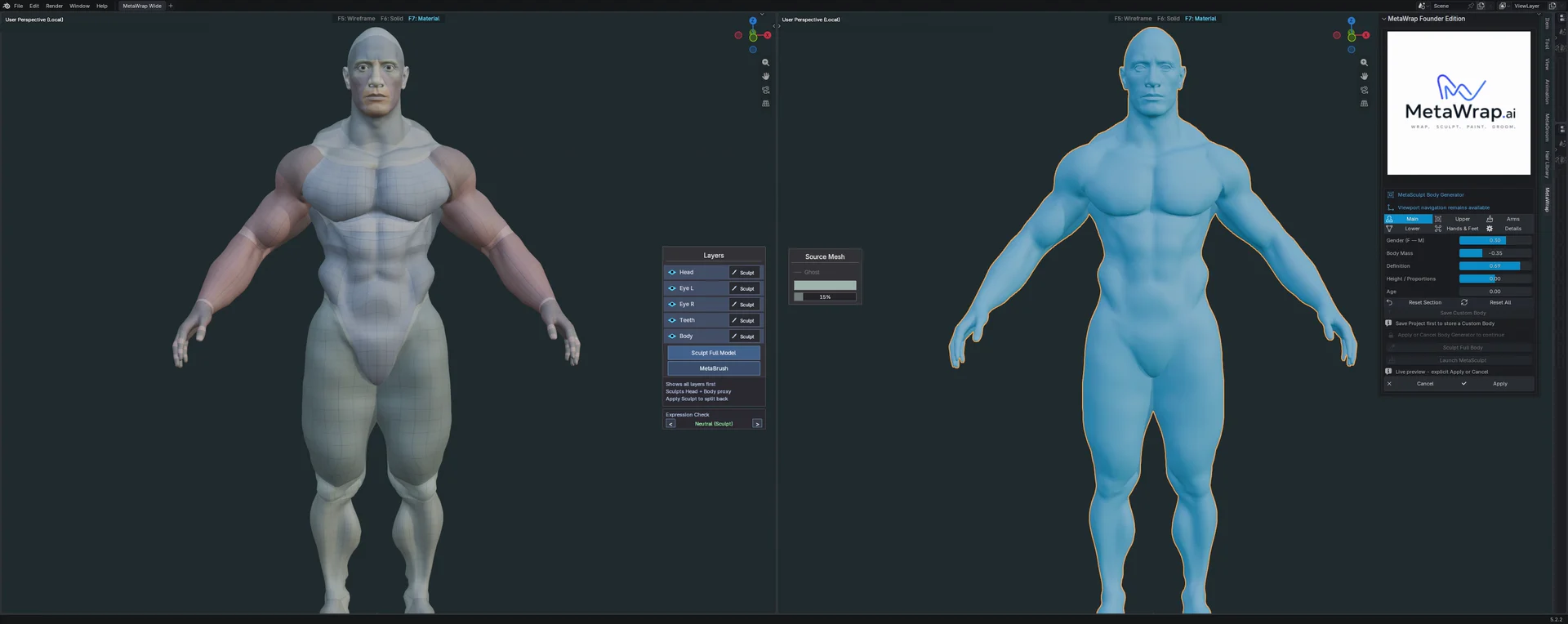
Body Generator on a full body
The Body Generator on a MetaHuman brought back from Unreal. Sped up.