Add and shape a body
Give a head its own body with a clean neck seam, then shape it with the Procedural Body Generator. For a head you wrapped, or one you created with GNM.
For: Head wraps and GNM heads
Before you begin
- A head in MetaWrap, after the wrap: Wrap Full Head, Wrap Head Only or GNM
What you will complete
- Head and body joined with matching neck vertices
- A body shaped for the character
- A custom body you can reuse
Load the body
After the wrap, Step 3: Wrap has the body buttons.
- 1.1In Step 3: Wrap, click Load Body: the MetaHuman base body appears.
- 1.2Line it up with the head by eye, with the gizmo: W moves, E rotates, R scales. It doesn't need to be exact.
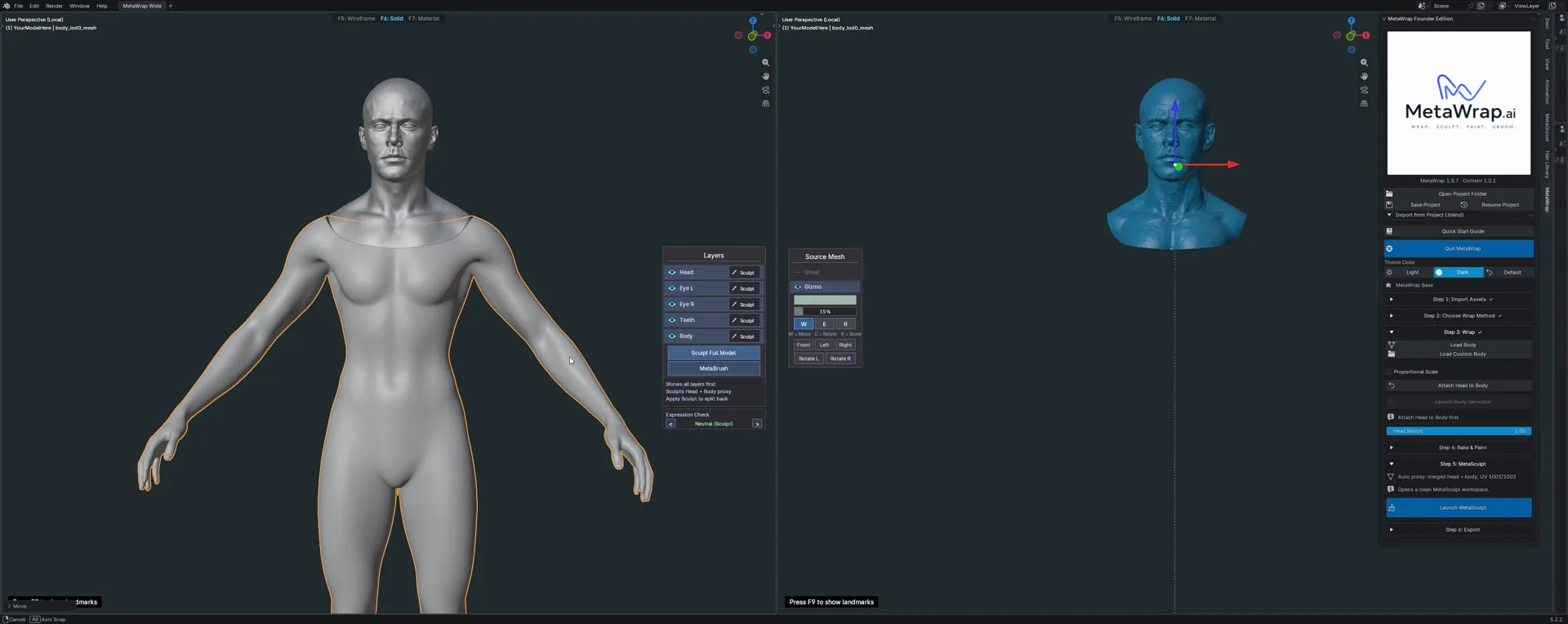
Load Body
Load Body adds the MetaHuman base body. A rough alignment by eye is enough.
Attach head and body
One click joins them with a clean neck: no holes, no steps.
- 2.1If the head and the body don't match in size, turn on Proportional Scale first.
- 2.2Click Attach Head to Body: the neck vertices are matched to the body.
- 2.3Launch Body Generator becomes available once head and body are attached.
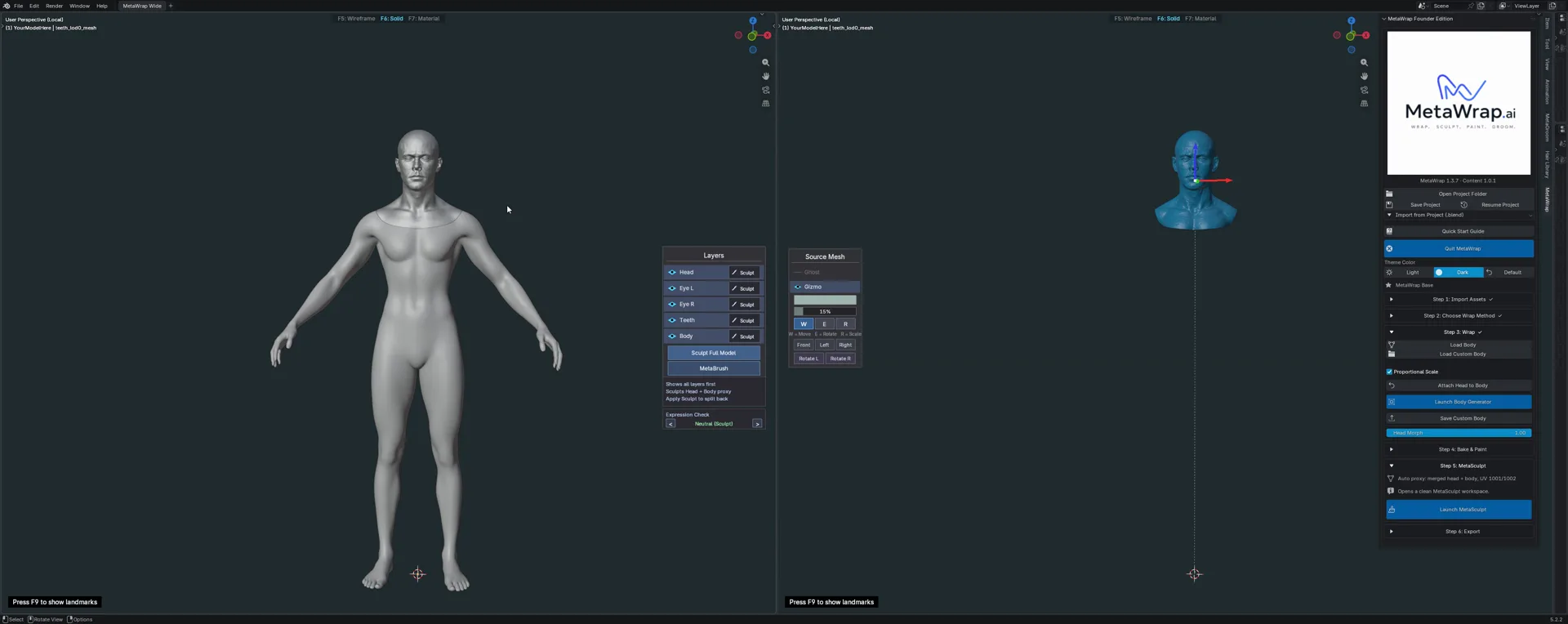
Attach Head to Body
Proportional Scale, then Attach Head to Body: head and body share the same neck vertices.
Fix the join (if needed)
A small artifact where head and body meet is smoothed by hand in a few strokes.
- 3.1In the Layers panel, click Sculpt Full Model: head and body are sculpted together, as one model.
- 3.2Smooth the join with a smooth brush, then click Apply Sculpt: head and body are split back.
- 3.3Each layer (Head, Eye L, Eye R, Teeth, Body) also has its own Sculpt button, to work on one part alone.
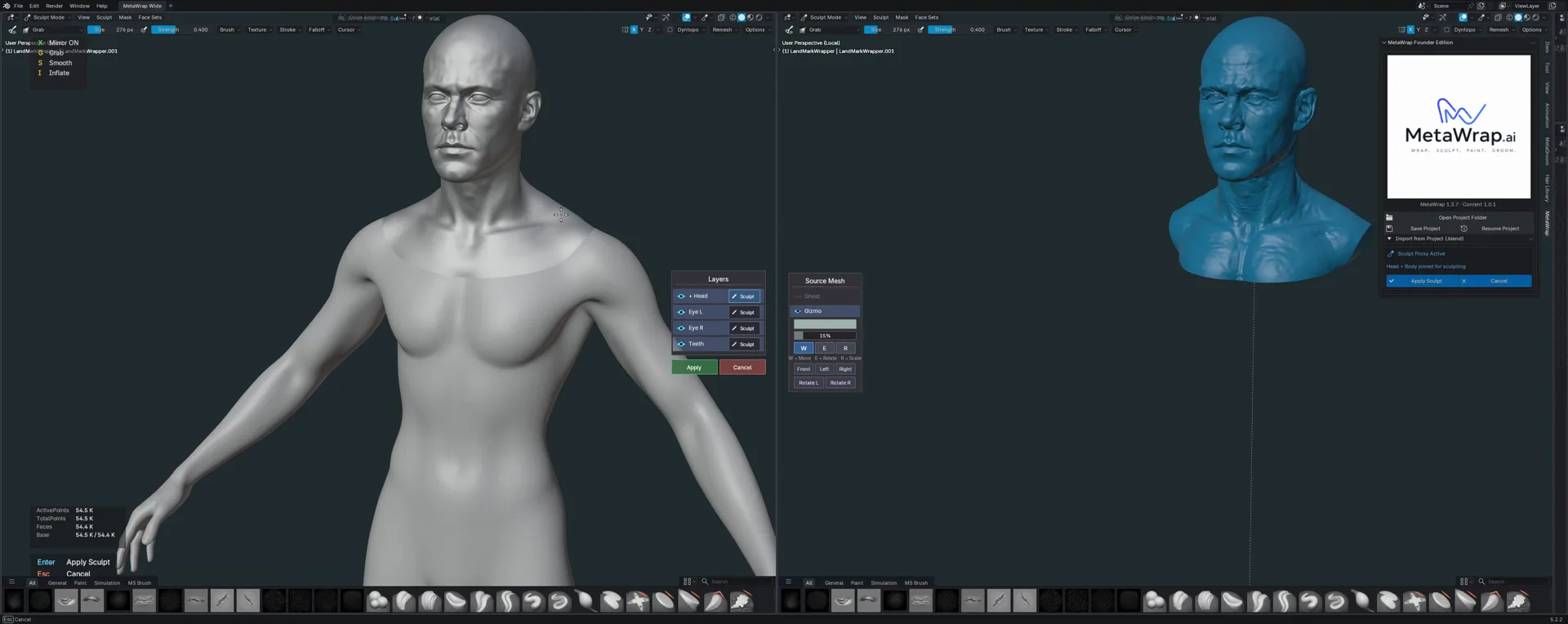
Sculpt Full Model
Sculpt Full Model sculpts head and body together; Apply Sculpt splits them back. Sped up.
Shape it with the Body Generator
The Procedural Body Generator builds a physique that fits the character, with anatomical controls.
- 4.1Click Launch Body Generator.
- 4.2Main: Gender moves the body from female to male, Body Mass adds or removes weight, Definition brings out the muscles. Height / Proportions and Age are there too.
- 4.3The other sections work on single areas: Upper, Arms, Lower, Hands & Feet and Details. Reset Section and Reset All go back to the start.
- 4.4Click Apply to keep the result, or Cancel to drop it.
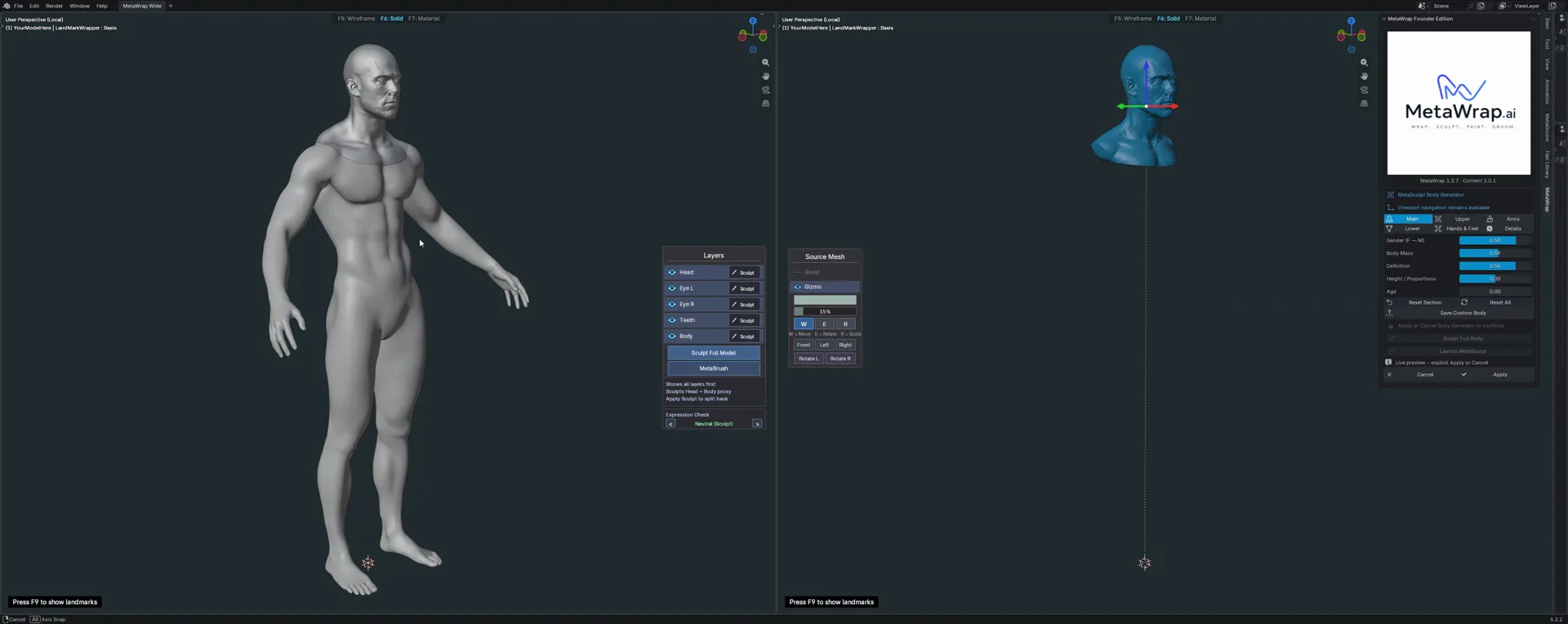
Body Generator
Gender, Body Mass and Definition in the Main section, then Apply.
Sculpt and iterate
Alternate sculpting and generating until the body is right.
- 5.1After Apply, sculpt the whole model again with Sculpt Full Model: smooth it, or shape the details by hand.
- 5.2Launch the Body Generator again: the new pass starts from your result. Work on single areas, for example Upper for the arms and the triceps, Lower for the legs and the quadriceps.
- 5.3Sculpt, generate and repeat as many times as you like.
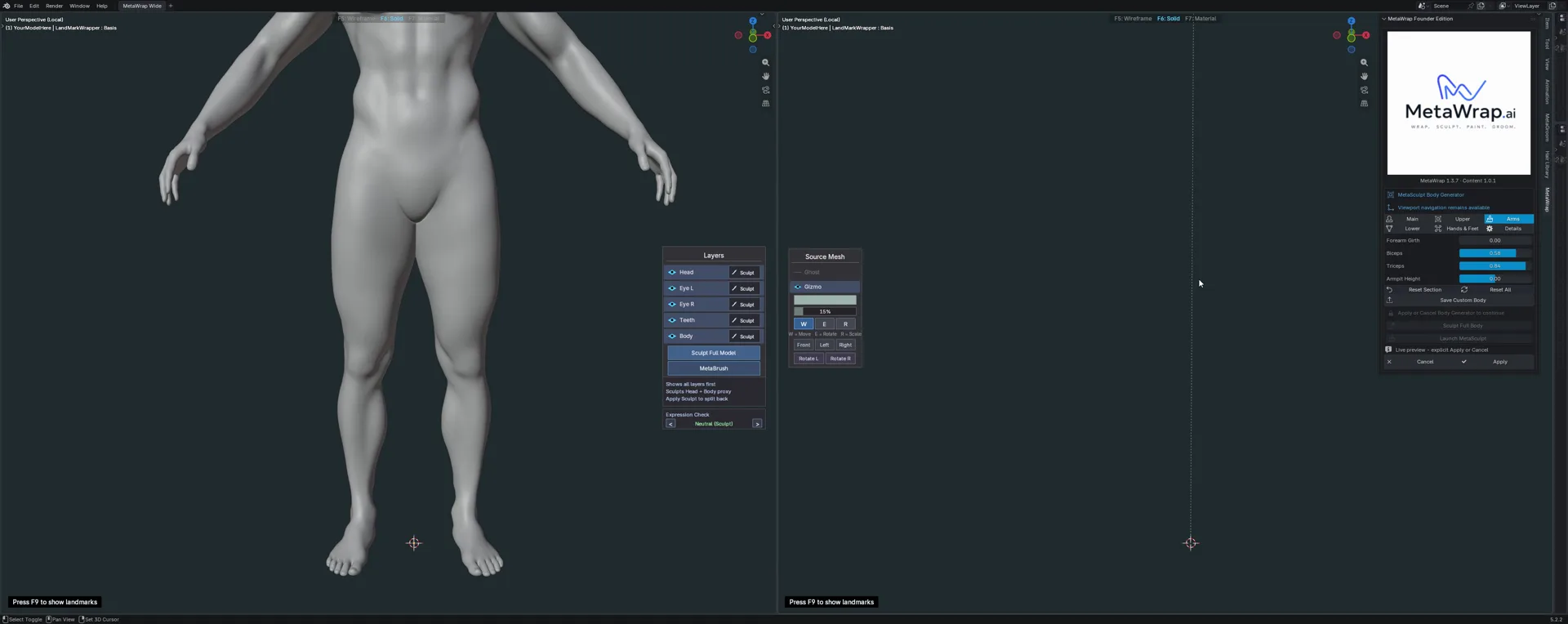
Second pass
A second pass on single areas: Upper, then Lower. Sped up.
Keep it as a custom body
A body you like becomes your starting point next time.
- 6.1Click Save Custom Body: the body is exported as OBJ.
- 6.2Keep Selection Only checked, so the file holds one single object.
- 6.3Next time, click Load Custom Body instead of Load Body, and start from your own body.
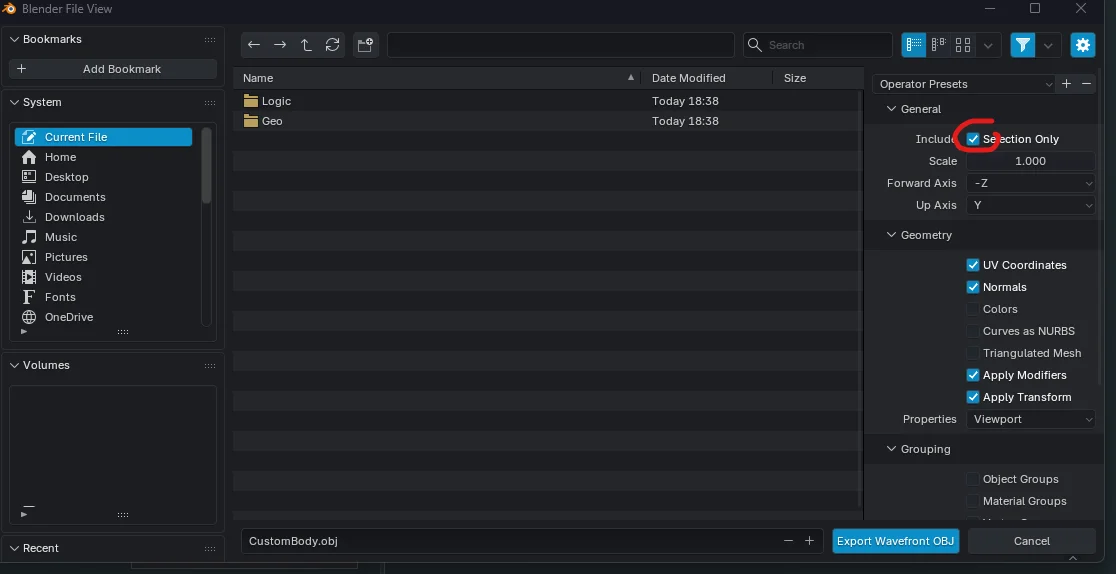
Save Custom Body
Save Custom Body exports an OBJ: keep Selection Only checked.
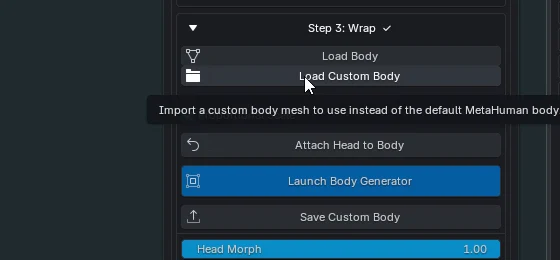
Load Custom Body
Load Custom Body imports your saved body instead of the default MetaHuman body.